OpenSRE Explained: The Open-Source AI Agent That Fixes Your Broken CI
OpenSRE is an open-source command-line agent that reads a failed continuous integration run, traces the cause across logs, commits and metrics, and pushes a fix to the pull request branch for a human to review. It is self-hosted, works with your own models, and is built for teams whose pipelines keep going red.

Key facts
- Project: Tracer-Cloud/opensre on GitHub — the open-source agent for CI/CD reliability
- GitHub stars: 13,310, with 1,911 forks (checked 20 November 2026)
- GitHub Trending: number 13 on 20 November 2026
- Licence: Apache-2.0
- Created: 13 January 2026
- Commits: 4,439
- Releases: 226, with 231 tags
- Status: Public Alpha — core workflows usable, not yet fully stable
- Install: one curl command on macOS/Linux, one PowerShell command on Windows, then run
opensre - Integrations: 60+ tools and services, from Grafana and Datadog to Kubernetes, Slack and PagerDuty
What Is OpenSRE and Why Does It Matter?
Every developer knows the feeling. You push a change, the pipeline goes red, and CI tells you something failed without telling you why. So you re-run the job, scroll through thousands of lines of logs, and guess. Meanwhile main stays red and the team stops trusting the pipeline.
OpenSRE is built for exactly that moment. Its tagline: “Your CI tells you it broke, but not why or how to fix it. OpenSRE is a CLI agent that reads the failed run, traces the cause and pushes a fix for you to review. Self-hosted, with your own models.” And as the project puts it: “AI writes more of the code every month. Someone still has to fix the build.”
The important word in that description is “traces”. OpenSRE does not simply read the last fifty lines of a log and guess. It fetches the failing checks and CI logs, recent commits and deploys, and correlated logs, metrics and traces, then tests hypotheses. The goal is to separate CI-caused failures from code-caused ones, because those two problems need completely different fixes. It is the same instinct behind the agent systems covered on the KongoTech homepage, where specialised agents take on one hard job each.
How Does OpenSRE Trace a Broken Build?
OpenSRE works in six steps:
- Fetch the context. It gathers the failing checks and CI logs, recent commits and deploys, and correlated logs, metrics and traces.
- Mask sensitive identifiers. Before any external model call, it masks secrets and personal data — optional, but what separates a hobby tool from one meant for real companies.
- Reason across systems. In a tool-calling loop it tests hypotheses one at a time, separating CI-caused failures from code-caused ones. A broken test runner, a flaky dependency and a genuine bug all look identical in a red build.
- Answer with evidence. Every claim links back to something it saw: a log line, a metric, a commit. An agent that explains itself can be checked.
- Fix it for review. It fixes the cause and pushes the change to the pull request branch for you to review, or suggests next steps — pushed for review, never merged silently.
- Post the summary. It posts a summary to Slack, PagerDuty or Telegram, so the team learns what broke and what changed without opening the terminal.

How Do You Install and Run OpenSRE?
On macOS or Linux, one command fetches the latest build from main without requiring sudo:
curl -fsSL https://install.opensre.com | bash -s -- -ghOn Windows, the PowerShell equivalent:
& ([scriptblock]::Create((irm https://install.opensre.com/install.ps1))) -ghThen run opensre. The first launch activates the hosted model and needs an account and a sign-in: the default first run goes through the hosted model unless you configure your own.
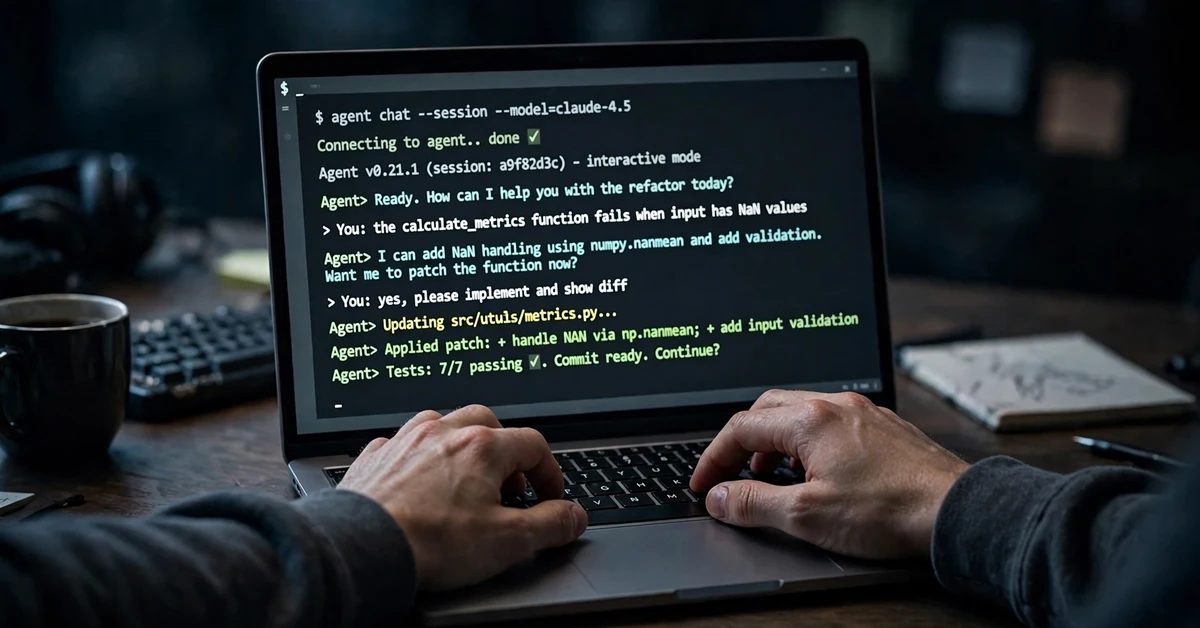
Running opensre with no subcommand starts the interactive shell, which validates your account and opens a REPL (TTY required). Slash commands cover the daily workflow — /help, /status, /cost, /sessions, /resume, /compact, /new and /exit, plus /integrations list and /integrations verify. Ctrl+C cancels an in-flight turn without losing session state.
There is also a headless mode for scripts and automation:
opensre ask "why is checkout-api slow?"The Python API embeds the agent in your own code:
from surfaces.embedded import start_embedded_sessionUse opensre integrations setup to connect services, opensre update to pull the latest build, and opensre uninstall when you are done.
What Can OpenSRE Actually Fix?
The honest answer: the kinds of failures that leave a trail. A dependency that changed version, a test that failed after a specific commit, a deploy that coincided with a latency spike, a flaky check that fails one run in five — these all leave evidence in logs, metrics and commits, and an agent reading all three at once beats a human scrolling through one file.
It is less useful for failures with no trail. If the build fails because of a problem nobody logged, or in a system OpenSRE cannot reach, the agent has nothing to reason about. That is why the integrations list matters: the agent is only as good as what it can see.
The workflow also changes how a team handles red builds. Instead of re-run, scroll, guess, re-run again, the team gets an evidence-linked answer and a proposed fix on the branch. The human still decides, but about a concrete change rather than a hunch. What Is Univer shows the same shift inside office documents: the agent does the mechanical work and the human keeps the decisions. Every investigation also leaves a trail — what broke, what the evidence said, what was fixed — a record of your pipeline’s real failure modes.
What Integrations Does OpenSRE Support?
OpenSRE connects to more than 60 tools and services, and the breadth is the point: a CI failure can involve any layer of the stack. For language models, it supports Anthropic, OpenAI, OpenAI Codex, Ollama, Google Gemini, OpenRouter, TrustedRouter, NVIDIA NIM and Bedrock — hosted frontier models and local models alike, so a team can keep its prompts in-house.
For observability: Grafana (Loki, Mimir and Tempo), Datadog, Honeycomb, Coralogix, CloudWatch, Sentry, Elasticsearch, Better Stack, Splunk, New Relic and Azure Monitor. For infrastructure: Kubernetes, AWS, Azure, ArgoCD and Helm. For databases: MongoDB, ClickHouse, PostgreSQL, MySQL, Snowflake, Redis, Supabase and Neon. For development tools: GitHub, GitHub MCP, Bitbucket, GitLab and Jenkins.
Incident management runs through PagerDuty, Jira, Alertmanager, incident.io and ServiceNow; communication through Slack, Google Docs, Discord, Telegram, Rocket.Chat and WhatsApp. Agent deployment can target Vercel, EC2, ECS or Railway, and the project speaks the MCP protocol.
Deployment comes in three flavours: OpenSRE Cloud, the managed gateway; the Gateway AMI with systemd, for a Telegram gateway without Docker; or a self-hosted container on Railway, ECS or Vercel using the repo Dockerfile, setting MODE, LLM_PROVIDER and its API key. DATABASE_URL is only needed when the gateway requires shared Postgres-backed state.
What Are the Limits and Honest Caveats?
First, the status. OpenSRE is in public alpha: core workflows are usable, but not yet fully stable, and APIs may evolve. With 226 releases in ten months, change is fast. Try it on a side project first, and pin a version before relying on it.
Second, the human review step. The fix is pushed to the pull request branch for review — OpenSRE moves the burden from “find the bug” to “check this fix”, it does not remove it. AG-UI covers agent-to-user interaction, and the lesson applies here too: the agent should show its work, and the human should check it.
Third, cost and keys. Running your own models means you manage the API keys and the costs, which scale with how much context each investigation pulls in. The /cost command exists for exactly this reason — check it in the first weeks. The first launch also activates the hosted model and needs an account and a sign-in.
Finally, telemetry. First-party analytics and Sentry are opt-out — disable them with export OPENSRE_NO_TELEMETRY=1 before your first run. On security, the project promises structured and auditable prompts, local transcript handling by default, and no silent bulk export of raw logs. Verify those promises against your own policy before pointing the agent at production.

Who Should Use OpenSRE?
OpenSRE fits teams whose pipelines fail often enough that debugging has become a real cost. If your team re-runs flaky jobs every day, or main goes red and nobody knows why, an agent that traces the failure and proposes a fix is worth trying. It also fits teams already running the observability stack it integrates with: if your logs, metrics and traces live in Grafana, Datadog or Sentry, the agent can reason from real evidence on day one. It fits solo developers too — with no team to ask when the build breaks, the headless mode is a useful second pair of eyes.
It does not fit everyone. A team with a green, stable pipeline does not need a CI debugging agent, and a team with no observability tooling will get thin answers. A team that cannot review pull requests carefully should not let any agent push fixes to branches, and anyone who wants a tool that merges fixes by itself should look elsewhere. Stitch Skills for Google Stitch makes the same point in another domain: package a proven way of working once, reuse it many times, and keep a human in charge.
The test is simple: point it at your last failed build and check the proposed fix. If the trace is right and the fix is sound, you have saved an afternoon — and found a tool worth keeping.
Frequently Asked Questions
What is OpenSRE?
OpenSRE is an open-source command-line agent that reads a failed CI run, traces the cause, and pushes a fix to the pull request branch for review. It is self-hosted and works with your own models.
Who created OpenSRE?
OpenSRE is by Tracer-Cloud, released under the Apache-2.0 licence. Created on 13 January 2026, it had 13,310 stars, 1,911 forks and 4,439 commits by 20 November 2026.
How do I install OpenSRE?
On macOS or Linux, run curl -fsSL https://install.opensre.com | bash -s -- -gh; on Windows, run the PowerShell installer from install.opensre.com, then run opensre. The installer fetches the latest build from main without requiring sudo.
Does OpenSRE merge fixes automatically?
No. OpenSRE pushes the fix to the pull request branch for you to review, or suggests next steps. A human still checks and merges the change.
Is OpenSRE stable enough for production?
Not yet. OpenSRE is in public alpha: core workflows are usable, but APIs and integrations may evolve. Try it on side projects first and pin a version before relying on it.
Conclusion
OpenSRE is a clear, well-aimed idea: when the build goes red, do not just report the failure — read the failed run, trace the cause, and push a fix to the branch for a human to review. With 13,310 stars, 1,911 forks and a number 13 spot on GitHub Trending on 20 November 2026, developers want this to work. The limits are real — public alpha, a hosted-model sign-in on first launch, opt-out telemetry, fixes that still need human review — but the direction is right. The agent does the detective work; the developer keeps the decision.