Stitch Skills: Google’s Agent Skills Library for the Stitch MCP Server
Stitch Skills is an open-source library of agent skills for Google Stitch, Google’s AI-powered UI design tool. It packages 15 ready-made skills into three plugins so coding agents can generate screens, manage design systems and turn designs into production code through the Stitch MCP server.
Key facts
- Repository: google-labs-code/stitch-skills on GitHub
- Stars: 9,187 · Forks: 1,112 · License: Apache-2.0
- Created: 16 January 2026 · Commits: 98 · Releases: 2
- Plugins: 3 (stitch-design, stitch-build, stitch-utilities) · Total skills: 15
- GitHub Trending: #3 on 15 November 2026
- Important: The README states “This is not an officially supported Google product.”
What Is Google Stitch?
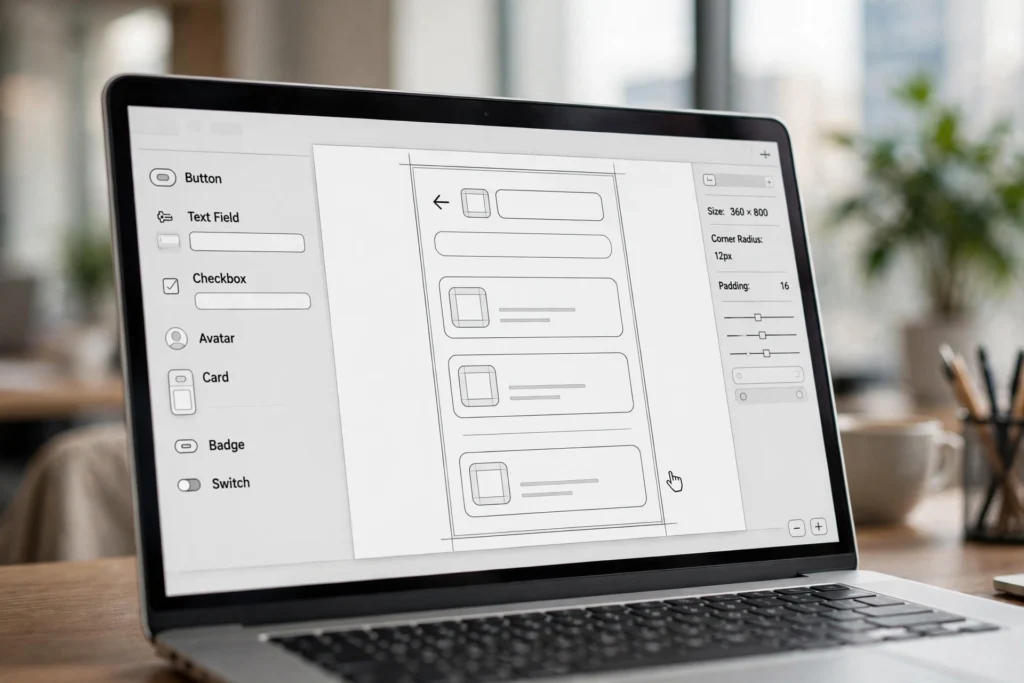
Google Stitch is Google’s AI design tool that turns text prompts and images into user interface designs. You describe the app or screen you want — a browse tab for a dating app, a login page, a dashboard — and Stitch generates UI screens. It is the design canvas Stitch Skills connect to, where every design your agent creates lives.
Think of Stitch as the workshop and your coding agent as the craftsperson. On its own, Stitch is a powerful way to explore ideas visually: iterate on layouts, try colour schemes and variants, and export what you like. But until recently, the bridge between Stitch and the code editor was mostly manual — you designed in one place and rebuilt in another. That gap is exactly what the Stitch MCP server and this skills library close.
What Are Stitch Skills and How Do They Work?
Stitch Skills are a collection of agent skills that teach coding agents how to work with Google Stitch. Each skill is a folder containing a SKILL.md file with instructions, plus supporting scripts, reference material and examples, following the Agent Skills open standard. When your agent faces a matching task, it loads the relevant skill on demand and follows its workflow.
The mechanism behind them is progressive disclosure. At startup, an agent only loads the name and description of each skill — just enough to know when it might be relevant. When a task matches, the agent reads the full SKILL.md instructions into context and executes them, optionally running bundled scripts or loading reference files. This keeps the context footprint small even with fifteen skills installed.
Crucially, the skills do not work alone. They require the Stitch MCP server to be configured and running in your agent’s environment. The Model Context Protocol (MCP) is the open standard that lets AI systems connect to external tools and data sources, and the Stitch MCP server is the live connection between your agent and your Stitch projects. The skills provide the know-how; the MCP server provides the hands. Without the server set up first, the skills have nothing to operate on.
The library is organised as plugins so you can install the whole suite or just the parts you need. The KongoTech homepage covers more tools like this, including the AG-UI agent-user interaction protocol.
What Skills Are Included in Stitch Skills?
The library ships 15 skills across three plugins, verified against the repository README.
stitch-design — 6 skills
- generate-design — Generate new screens from text or images, edit existing screens and create design variants.
- code-to-design — Convert existing frontend code (React, Vue and more) into a Stitch design.
- manage-design-system — Upload a
DESIGN.mdfile and apply themes across screens, so every screen stays consistent. - extract-design-md — Scan frontend source code and extract a comprehensive
DESIGN.mdfrom it. - extract-static-html — Extract self-contained static HTML from a running web app, inlining CSS and images.
- upload-to-stitch — Upload local assets such as images, mockups and HTML files into a Stitch project.
stitch-build — 5 skills
- react-components — Convert Stitch screens into React component systems with automated validation and design-token consistency.
- react-native — Convert Stitch HTML designs into production-ready React Native components.
- react-vite-dashboard — Build React and Vite dashboards from Stitch screens, using TanStack Query and
DESIGN.mdtokens. - remotion — Generate walkthrough videos from Stitch projects using Remotion.
- shadcn-ui — Guidance for integrating and building applications with shadcn/ui components.
stitch-utilities — 4 skills
- design-md — Analyse a Stitch project and generate a comprehensive
DESIGN.mdfile. - enhance-prompt — Transform vague UI ideas into polished, Stitch-optimised prompts. “Make a settings page” becomes a detailed brief.
- stitch-loop — Generate complete multi-page websites from a single prompt, with automated validation.
- taste-design — Generate
DESIGN.mdfiles that enforce premium, anti-generic UI standards.
Note that some skills depend on each other. The README warns that if you install skills selectively, you should include all required dependencies. Installing the full plugin set is the recommended path for that reason.

How Do You Install Stitch Skills?
The recommended route is to install the plugins, which brings in the full suite at once.
For Claude Code, install into the current project:
npx plugins add google-labs-code/stitch-skills --scope project --target claude-codeFor Cursor, the equivalent command installs into the current workspace:
npx plugins add google-labs-code/stitch-skills --scope workspace --target cursorFor Codex, add the Stitch Skills marketplace first, then install the plugins you need:
codex plugin marketplace add google-labs-code/stitch-skills --ref main \
  --sparse .agents/plugins \
  --sparse plugins/stitch-design \
  --sparse plugins/stitch-build \
  --sparse plugins/stitch-utilities
The --sparse flags are optional; they limit the checkout to the listed paths for a faster clone.
If you only want individual skills rather than whole plugins, the selective install command is npx skills add google-labs-code/stitch-skills.
Two setup points matter most. OpenCode does not use npx plugins or npx skills, so install there manually: copy the skill folders into .opencode/skills and add the Stitch MCP server as a remote MCP entry in opencode.json. OpenCode also requires lowercase kebab-case skill names, so stitch::… skills need renaming first. And set up the Stitch MCP server before you install anything — the README is explicit that the skills require the server configured and running, and they will not function without it.
Which Coding Agents Work With Stitch Skills?
The library is officially compatible with Codex, Antigravity, Gemini CLI, Claude Code, Cursor and OpenCode (manual install). That broad spread is possible because the skills follow the Agent Skills open standard rather than any single vendor’s format.
In practice, the smoothest experiences are the ones with a one-command install: Claude Code and Cursor via npx plugins add, and Codex via its plugin marketplace. Gemini CLI and Antigravity are listed as compatible in the README, though their install flows are less prominently documented. OpenCode works too, but only with the manual route described above.
The wider significance is worth noting. Agent Skills began as a format developed by Anthropic and released as an open standard, and has since been adopted across the agent ecosystem, so one library can serve six different tools. It is the same standardisation story playing out across the agent world in 2026: just as the Univer AI office SDK brings AI-native spreadsheets and documents to developers, Stitch Skills bring AI-native design workflows to coding agents.
One honest caveat belongs here. The README states plainly that this is not an officially supported Google product, and the project is not eligible for the Google Open Source Software Vulnerability Rewards Program. It lives under the google-labs-code experimental labs namespace — not unreliable at 9,187 stars, but community-grade open source with no support SLA.
Why Did Stitch Skills Trend on GitHub?
Stitch Skills reached #3 on GitHub Trending on 15 November 2026, and the reasons are easy to see. First, it solves a real, felt problem: the design-to-code handoff. Designers and developers have spent years copying screens from a design tool into code by hand; a library that lets an agent do the round trip — design, edit, convert to React — removes a genuine bottleneck.
Second, it arrived at the right moment. 2026 has been the year agent skills went mainstream, with the Agent Skills format becoming an open standard and MCP servers proliferating across every major AI tool. Third, the scope is right: fifteen skills cover a complete workflow, the plugin split lets users adopt it gradually, and the Apache-2.0 licence allows commercial use.
That said, trending is not the same as battle-tested: only 98 commits and 2 releases since 16 January 2026. If you adopt it, pin a version and test the output on a small project first.
Who Should Use Stitch Skills?
Stitch Skills make the most sense for three groups. Front-end developers who already use Claude Code, Cursor or Codex will get the most value: the stitch-build plugin slots directly into their existing workflow, turning Stitch screens into React components in the editor. Product designers can use the design plugin to generate variants and manage design systems, then hand over a DESIGN.md that keeps the code faithful to the design. Solo builders and indie hackers benefit from stitch-loop, which can spin up a complete multi-page website from one prompt.
It is less useful if you do not already use Google Stitch or an MCP-compatible coding agent — a bridge needs both banks. But for teams already on Stitch, it is the most complete way to connect the design tool to the code editor.
Frequently Asked Questions
What are Stitch Skills?
Stitch Skills are an open-source library of 15 agent skills in 3 plugins that let coding agents work with Google Stitch through the Stitch MCP server. They cover design generation, design-system management and code generation, and follow the Agent Skills open standard.
Is Stitch Skills an official Google product?
No. The README states clearly that it is not an officially supported Google product. It is published under the google-labs-code experimental labs namespace, under the Apache-2.0 licence.
How do I install Stitch Skills?
Install the plugins with one command for your agent: npx plugins add google-labs-code/stitch-skills for Claude Code or Cursor, or add the repository as a marketplace in Codex. First configure and run the Stitch MCP server; OpenCode users install skills manually by copying folders into .opencode/skills.
Which coding agents support Stitch Skills?
Codex, Antigravity, Gemini CLI, Claude Code, Cursor and OpenCode are listed as compatible. Claude Code, Cursor and Codex have the smoothest installs, while OpenCode requires manual installation and skill renaming.
What is the Stitch MCP server?
The live connection between your coding agent and Google Stitch, built on the Model Context Protocol. The skills provide the workflows; the MCP server provides the tools your agent calls to read and change Stitch projects — so it must be configured and running first.
Conclusion
Stitch Skills turn Google Stitch from a standalone design tool into a programmable part of your development workflow. With 15 skills across three plugins — design, build and utilities — and compatibility with the major coding agents of 2026, it covers the full journey from a vague prompt to production React code.
The setup cost is real: the Stitch MCP server must run first, and OpenCode users face a manual install. But for developers already working in Claude Code, Cursor or Codex, one command is all it takes to give your agent a design skill set. Just remember the caveat in the README — this is experimental, community-grade open source, not a supported Google product — and pin your version before you build on it.